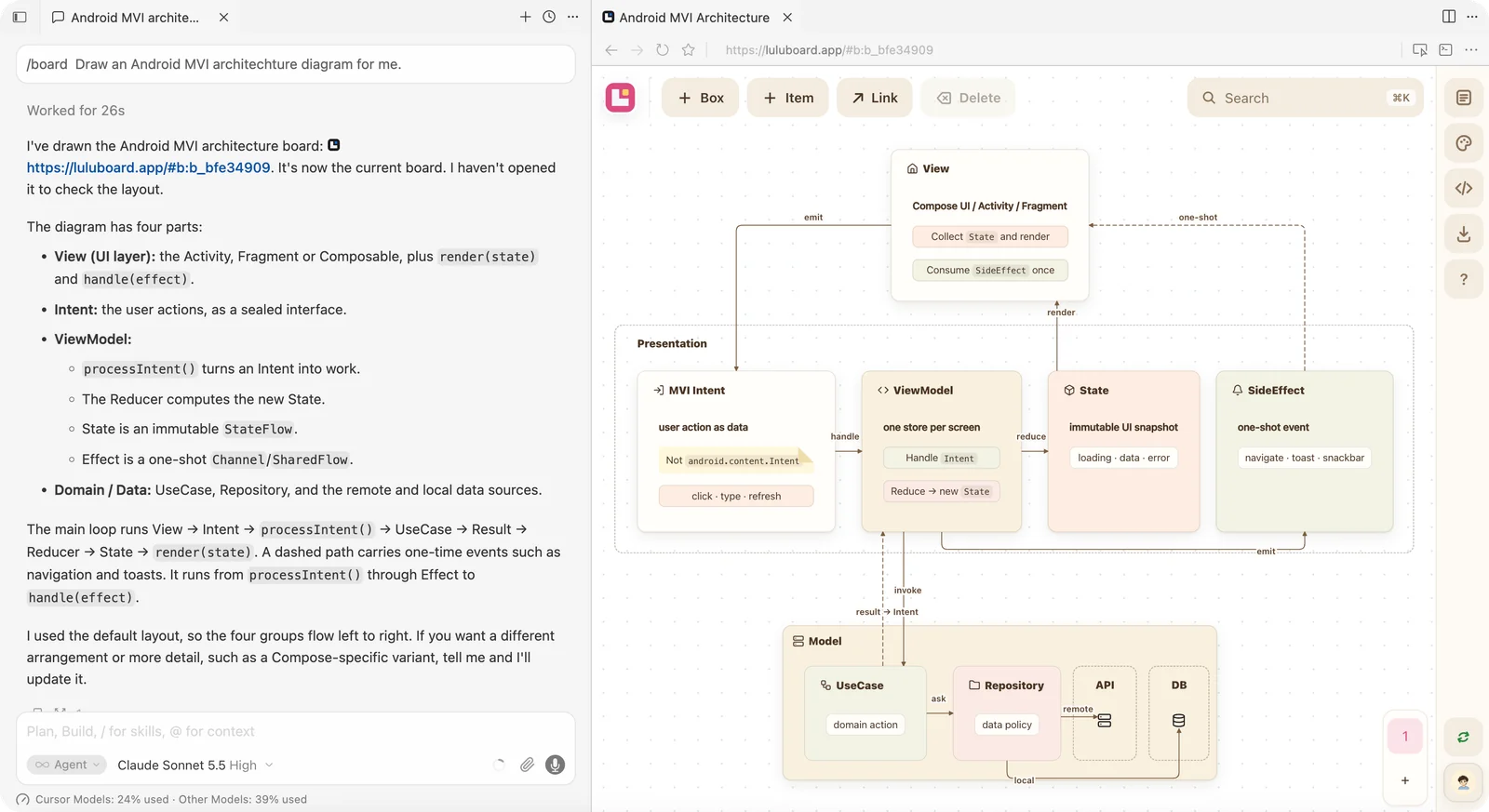
Ask your agent with /board — the board opens right next to the chat.
Edit on the canvas
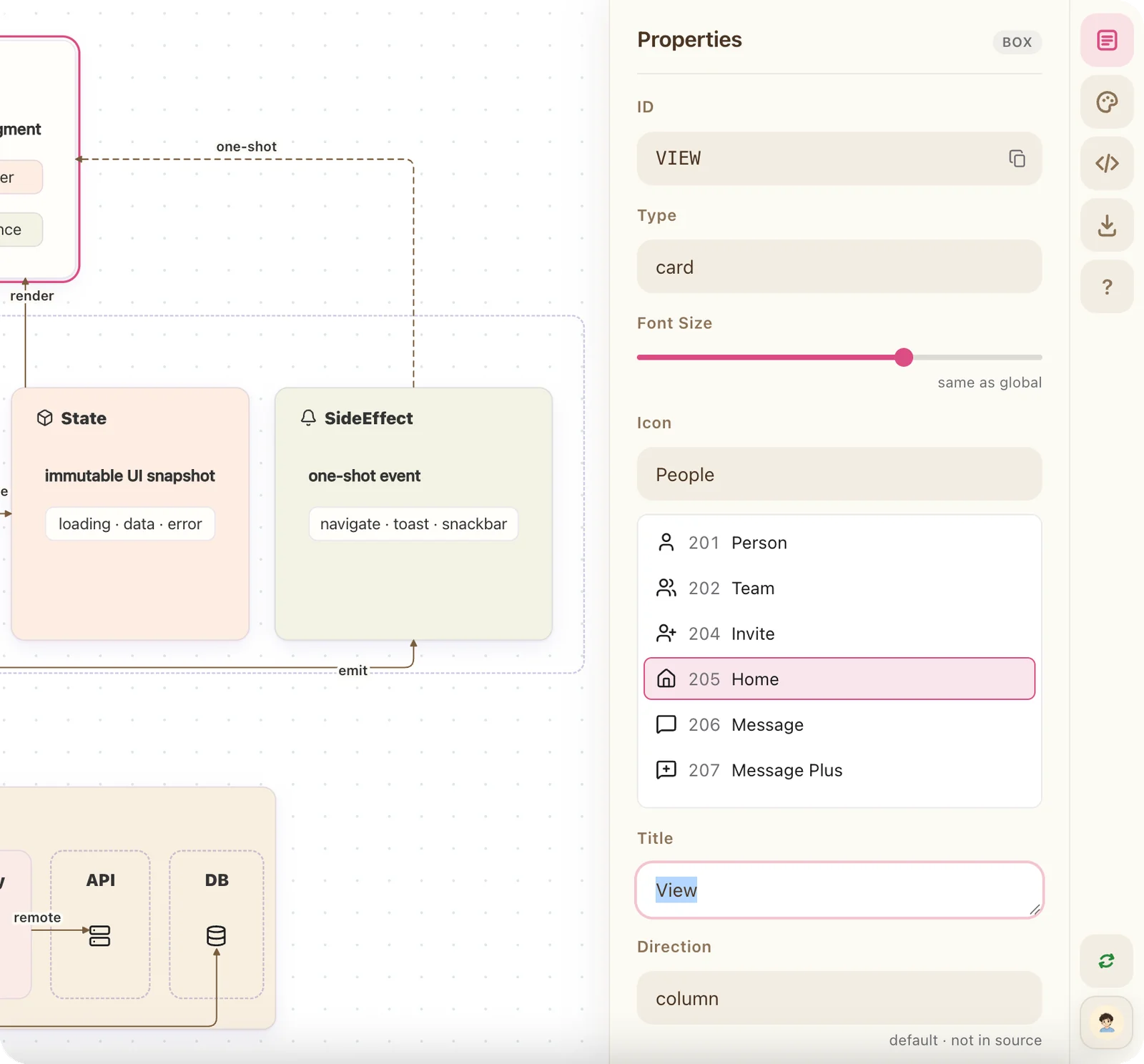
The board is not a picture. Drag boxes, edit text and link them — then hand it back to your agent.
A compact text protocol
Your agent writes a few readable lines. Lulu Board draws them.
boardthe board titleboxa carditema leaf inside a card->a link between them
board "Android MVI Architecture"
box VIEW 205 "View"
  item Render "Collect `State` and render"
box PRES type container "Presentation"
  box INTENT 104 "MVI Intent"
    item type note "Not `android.content.Intent`"
  box STORE 405 "ViewModel"
    item Reduce "Reduce → new `State`"
  box STATE 309 "State"
VIEW -> INTENT title "emit"
INTENT -> STORE title "handle"
STORE -> STATE title "reduce"
STATE -> VIEW title "render"
Connect your agent
Two steps, and your agent draws boards in your account.
-
1
Connect MCP
https://mcp.luluboard.app/mcpAdd this MCP URL in your agent — Cursor, Claude Code or any MCP client. First use opens a Lulu Board sign-in; no API key.
-
2
Install the skill
Teaches your agent the
View skill on GitHub/boardcommand and the text protocol.
Questions, answered
Do I need an account?
No. “Start free” opens a blank board that is saved in the page URL. Sign in only if you want cloud boards and share links.
Where is my board stored?
Local boards are encoded in the URL after the #. Signed-in boards are saved to your account and open with a #b: link.
Can I share a board?
Yes. Save the board to the cloud, then create a share link. Anyone with the link can view it; signed-in people can edit when access is set to Edit.
Can I use it with my AI agent?
Yes. Lulu Board can authorize your agent to read and write your boards through an OAuth consent screen. AI writes the protocol; you keep editing on the canvas.
Where can I see this page again?
From the workspace, open the boards panel from the logo at the top left and click the ⓘ icon next to your account at the bottom. The Onboarding button still opens the example board.